Spezifische Pack-Anforderungen umsetzen
Mit nur einem Klick automatisch zu einem optimierten Ladeplan. Hilfreich und zeitsparend!
Was aber, wenn ich ganz spezifische Packanforderungen umsetzen möchte?
Das kennen wir bereits. Die automatische Stapelung in PackApp ermöglicht eine schnelle Kalkulation, wie viele Container und Lademeter für eine bestimmte Packliste benötigt werden. Zuerst die Packliste eingeben oder hochladen, dann mit einem Klick die automatische Berechnung starten und schon wird die fertige Stauraumberechnung angezeigt.
Viel Zeit und Arbeit gespart!
Spezielle Anforderungen aber, wie zum Beispiel bestimmte Stapelungen oder Packstück Positionen, kann die automatische Berechnung der Stauraumplanung so nicht einbinden.
Selbstverständlich ist die Umsetzung dieser spezifischen Packanforderungen ebenfalls möglich.
Auch wenn die Berechnung nicht mehr vollautomatisch durchgeführt werden kann, so unterstützt PackApp diverse Möglichkeiten der Anpassung des Berechnungsergebnisses optimal, so dass Sie alle nötigen Packanforderungen einfach, schnell und unkompliziert umsetzen können. Probieren Sie es aus!
Sie können
- Die Stapelung manuell verändern und festlegen (z.B. Gruppierungen)
- Packstück-Positionen über die Nachbearbeitung des Ergebnisses verändern (z.B. tauschen, verschieben etc.)
- Packstück-Position in der Berechnung festlegen (z.B. zentrieren)
- Prioritäten zur Verladung für Packstücke festlegen
1. Die Stapelung verändern
Bei der automatischen Berechnung werden Packstücke nach festen Regeln aufeinandergestapelt. Packstücke mit gleicher oder ähnlicher Größe werden bis zu einer bestimmten Höhe, die von der gewählten Transport Einheit abhängt, gestapelt.
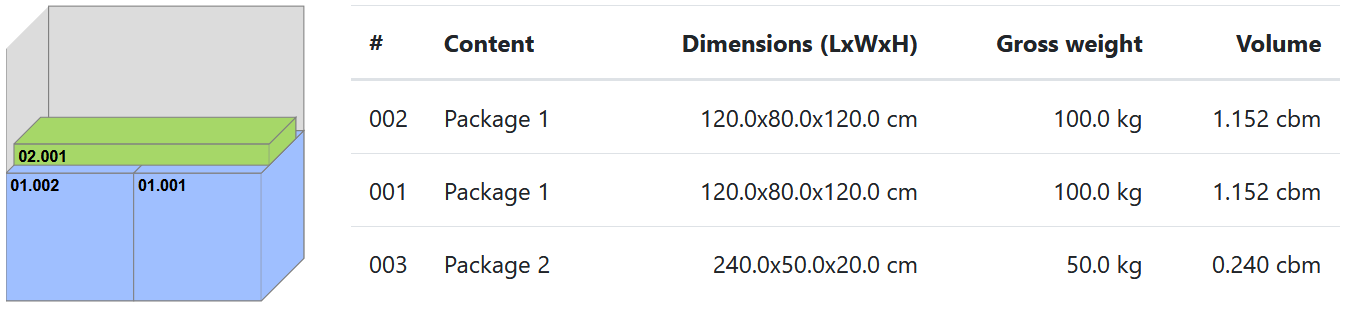
Klickt man im Eingabeformular für die Packliste auf „Stapelungs-Assistent“, werden alle gebildeten Stapel sowohl bildlich als auch mit den entsprechenden Datensätzen dargestellt.
In dieser Stapelungsansicht kann man nun eingreifen und z.B. bestimmte Packstücke gruppieren, von denen man aus Erfahrung weiß, dass diese sich gut kombinieren lassen.
In diesem Beispiel werden zunächst mehrere Packstücke zu einer Gruppe kombiniert, sozusagen virtuell für die Berechnung zusammengeklebt und dann über diese Gruppe ein längeres Packstück gelegt. Das gesamte Arrangement wird anschließend genauso in das Ergebnis übernommen.
Tipp:
Führen Sie eine Berechnung zunächst mit der automatischen Stapelung aus, um ein schnelles Ergebnis zu erhalten. Gehen Sie dann über „Neu berechnen“ in den Stapelungs-Assistenten und verändern Sie die Stapelung, um sie anzupassen. Dieser Vorgang kann beliebig oft ohne weitere Berechnungskosten wiederholt werden, die Packliste an sich darf allerdings nicht verändert werden.
2. Ergebnis nachbearbeiten
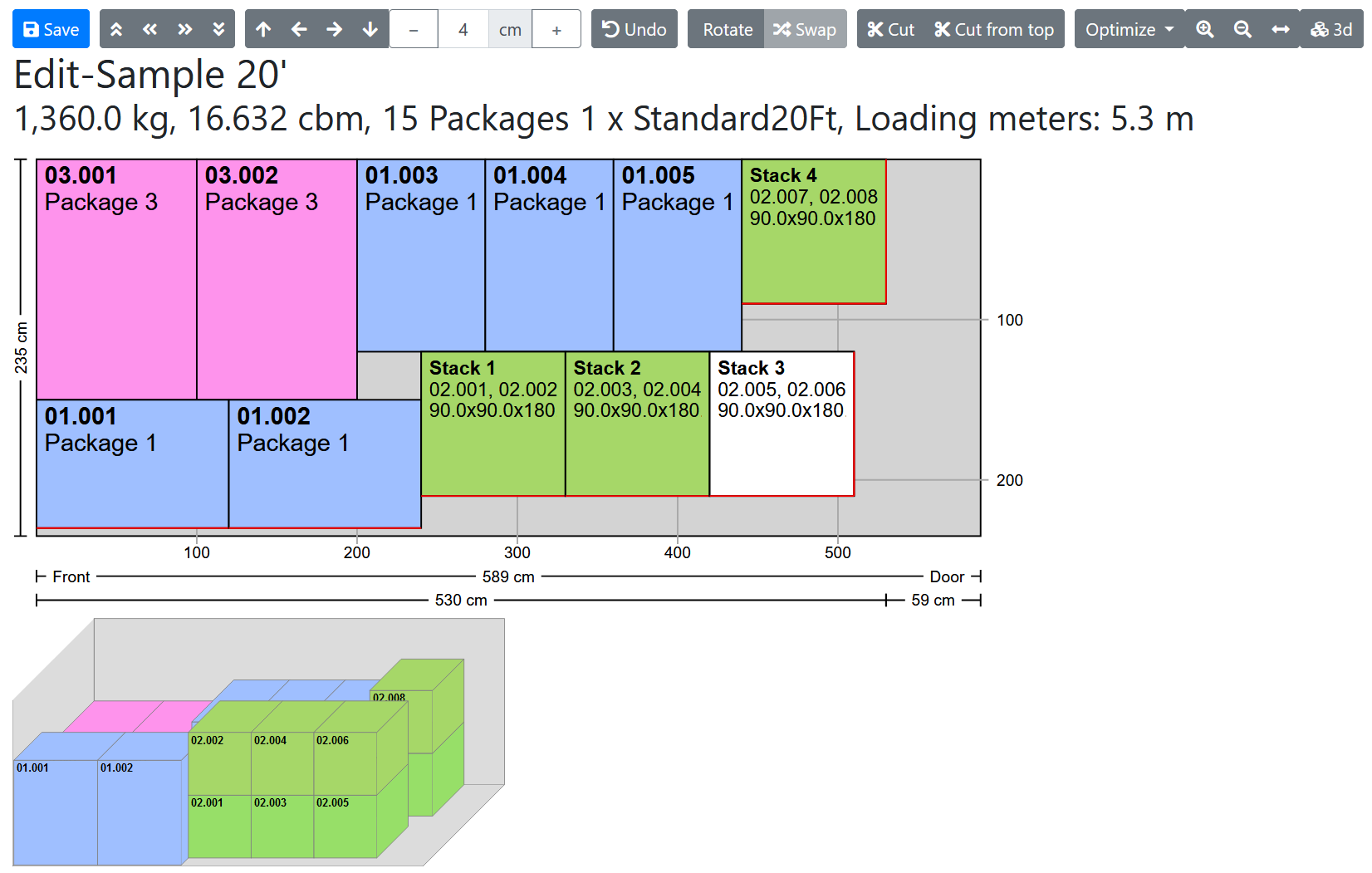
Wenn Sie mit dem Gesamtergebnis der automatischen Berechnung zufrieden sind, aber einige Details verändern wollen, steht Ihnen der Ergebnis-Editor zur Verfügung.
Es ist möglich
- Packstücke im Container zu verschieben
- Packstücke zu tauschen
- Packstücke zwischen Containern zu verschieben (über eine Zwischenablage)
- Stapelungen zu verändern
- Packstücke aus dem Ergebnis zu entfernen und in einer neuen Packliste speichern oder mit einer anderen zu Packliste kombinieren (siehe auch Transporte organisieren)
Details und weitere Möglichkeiten zur Nachbearbeitung finden Sie demnächst in einem weiteren Artikel.
3. Packstück-Position festlegen
Bei dieser Möglichkeit geht es nicht um die Optimierung des Ergebnisses, sondern darum, ein Staubild zu erhalten, das ganz bestimmte Vorgaben berücksichtigt.
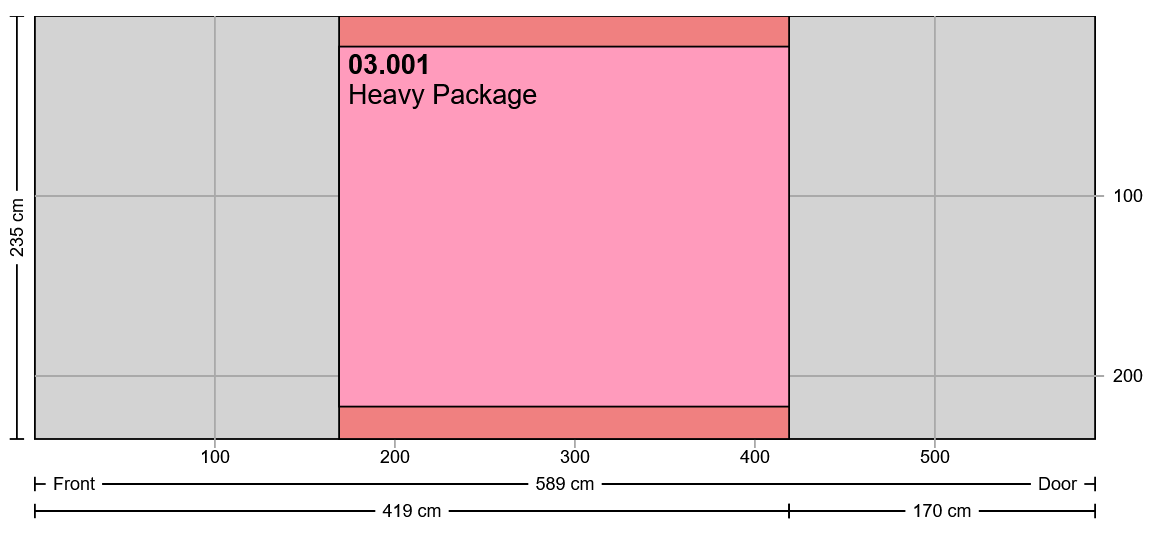
Zum Beispiel kann es sinnvoll sein, ganz bestimmte Packstücke als erstes in den Container zu laden, weil diese als Letzte entladen werden sollen. Oder Sie möchten ein besonders großes und schweres Stück in die Mitte des Containers setzen, um den Schwerpunkt zu beeinflussen.
Hierzu gibt es im Stapelungs-Assistenten die Funktion „Feste Position“, mit der Sie die Position im Container oder LKW festlegen können. PackApp packt dann den Rest der Packliste, sofern nicht anders vorgegeben, außen um das zentrierte Packstück herum. Das Ergebnis ist dann, im Vergleich zum freien automatischen Packen, eventuell nicht optimal hinsichtlich der Lademeter, aber Ihre Vorgaben werden dadurch entsprechend im Ergebnis berücksichtigt.
4. Prioritäten für Packstücke festlegen
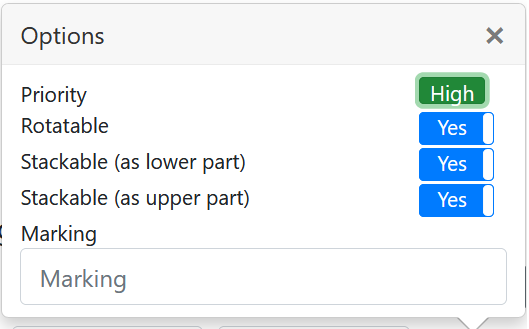
Bei Eingabe der Packliste können Sie jeder Position direkt eine Priorität zuordnen. Im zugehörigen Optionsmenü können Sie zwischen den Prioritäten „Hoch“, „Normal“ und „Niedrig“ wählen.
Diese Möglichkeit ist für Transporte sinnvoll, die aus mehreren Containern oder LKWs bestehen. Die höher priorisierten Packstücke werden bevorzugt in den ersten Container gepackt. Sie können dann den Container bis zur vollständigen Füllung mit weiteren Packstücken auffüllen lassen.
Sollte am Schluss eine nicht ganz gefüllte Transport Einheit übrigbleiben, könnten Sie den Inhalt dieser Einheit über eine extra Packliste aus der momentanen Berechnung extrahieren, um sie später mit anderen Packlisten zu einer neuen Berechnung zusammenzuführen. Siehe: Transporte organisieren