WAS IST NEU? - PackApp Update 2106
Informieren Sie sich hier über die wichtigsten Neuerungen und ihre Anwendungsmöglichkeiten.
Unterstützung von Flat Rack Containern
Der Flat Rack Container wird jetzt automatisch als Option unter „Transporteinheit auswählen“ nach dem Klick auf „Neue Berechnung“ angeboten.
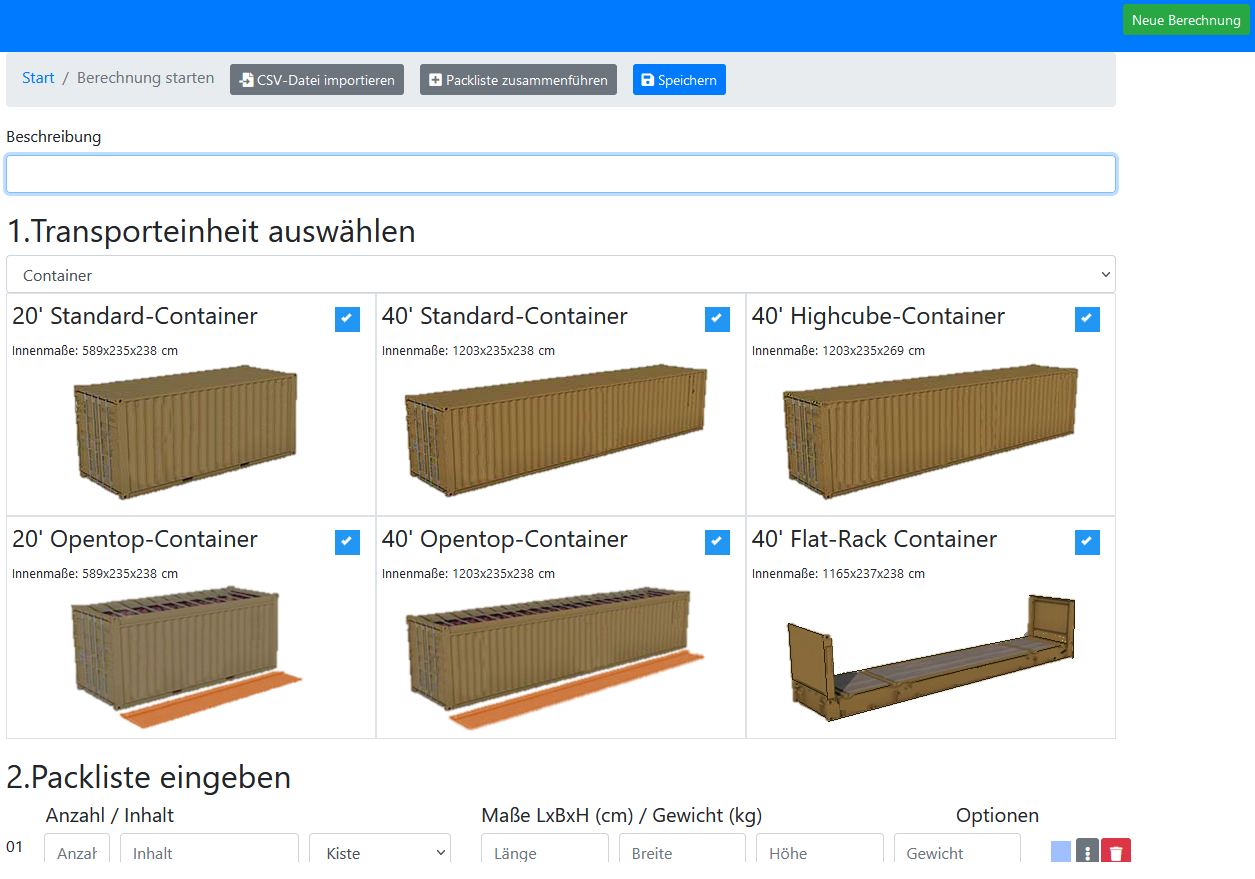
Es gibt zwei Möglichkeiten einen Flat Rack Container als Transporteinheit zu erhalten:
- Sie wählen alle anderen Container-Typen bei der Auswahl ab, was dazu führt, dass der Flat Rack Container „erzwungen“ wird.
o d e r
- Sie fügen ein Packstück mit Überbreite hinzu, welches in keinen der geschlossenen Container-Typen hineinpasst. In diesem Fall wird PackApp dies erkennen und automatisch auf einen Flat Rack Container zurückgreifen.
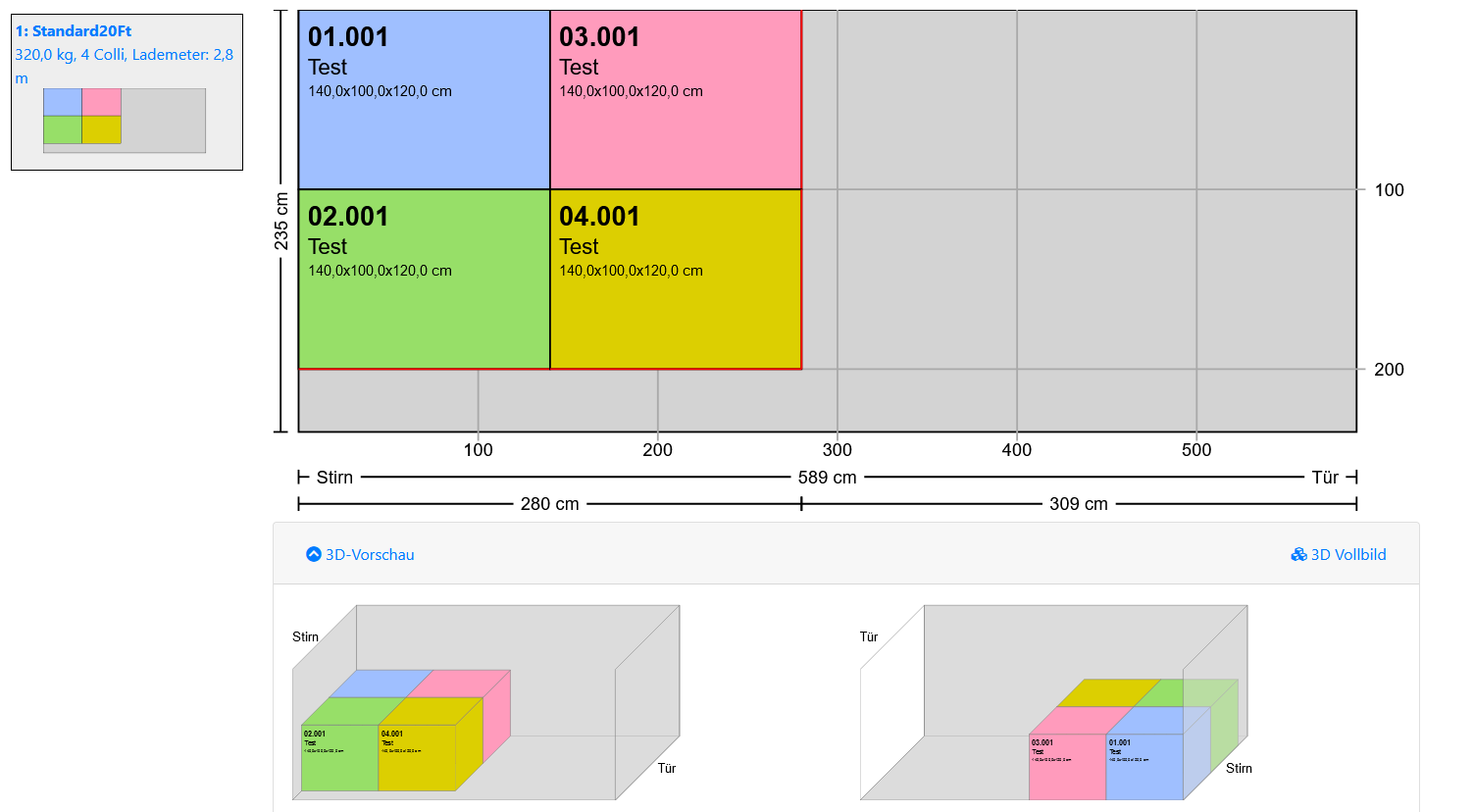
Zusätzliche 3-D-Miniatur im Berechnungsergebnis
Im Berechnungsergebnis wird der beladene Container nun zusätzlich als 3D-Miniatur von beiden Seiten dargestellt. Auf Wunsch kann diese Ansicht auch mit in die Druckausgabe übernommen werden.
Erstellung einer Beladungsanweisung mit Schritt-für-Schritt-Anweisungen
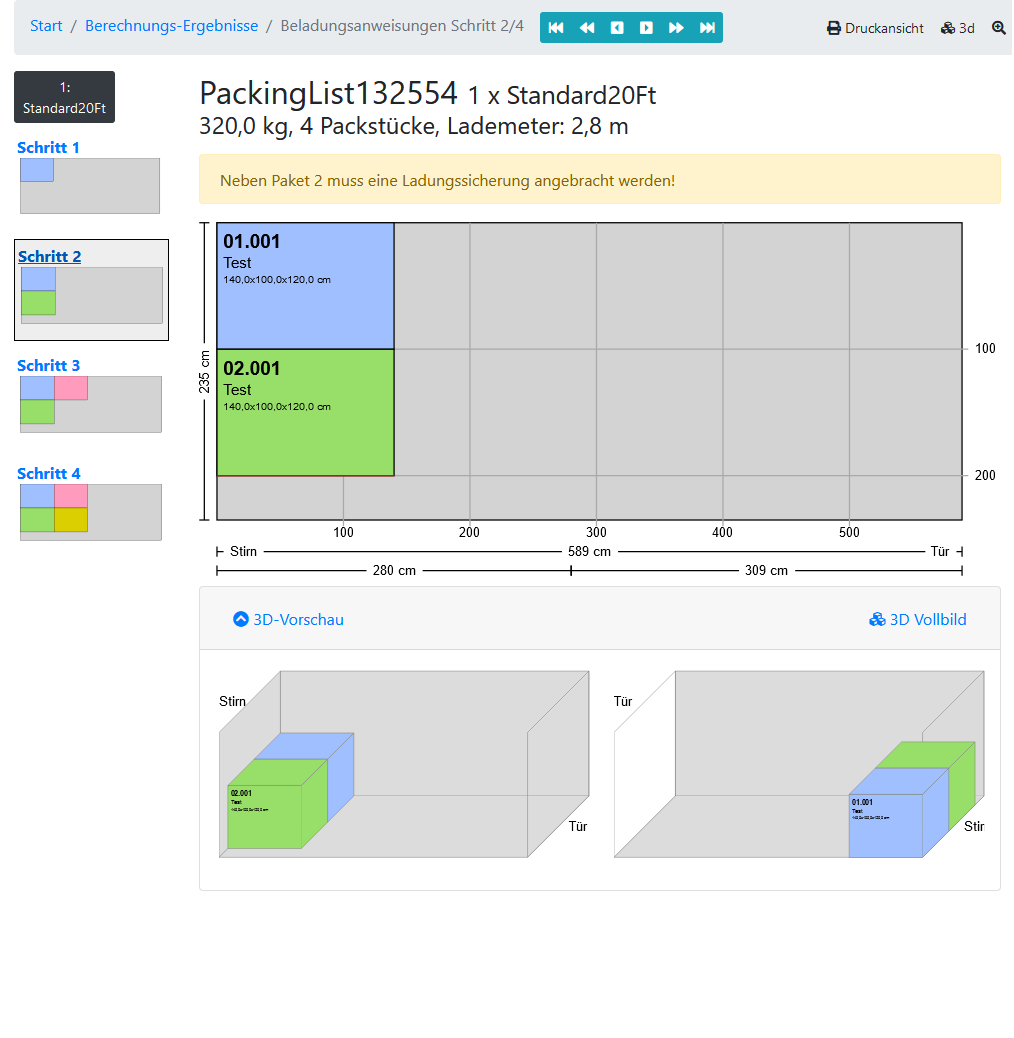
Erstellen Sie jetzt zu Ihrer fertigen Berechnung eine Schritt-für-Schritt-Anweisung.
Bestimmen Sie selbst, aus welchen Schritten ihre Beladungsanweisungen bestehen sollen.
Zu jedem Schritt können Sie Hinweise, Warnungen oder Gefahren-Hinweise erfassen. Die Beladungsanweisungen können Sie natürlich genau wie das Berechnungsergebnis mit anderen Transport-Partnern teilen, indem Sie diesen einen Link per E-Mail schicken.
Konfigurierbare Beschriftung
Konfigurieren Sie für die Ausgabe der Berechnungsergebnisse wie die Packstücke beschriftet werden sollen. Rufen Sie dazu den Menüpunkt Ansicht|Darstellungsoptionen auf.
Sie können nun wählen, ob die Packstück-Nummer, der Inhalt, eine Beschriftung, die Maße und das Gewicht ausgegeben werden sollen. Zudem können Sie noch Schriftgröße und Formatierung festlegen.
Hinterlegung von Containernummern oder Kennzeichen
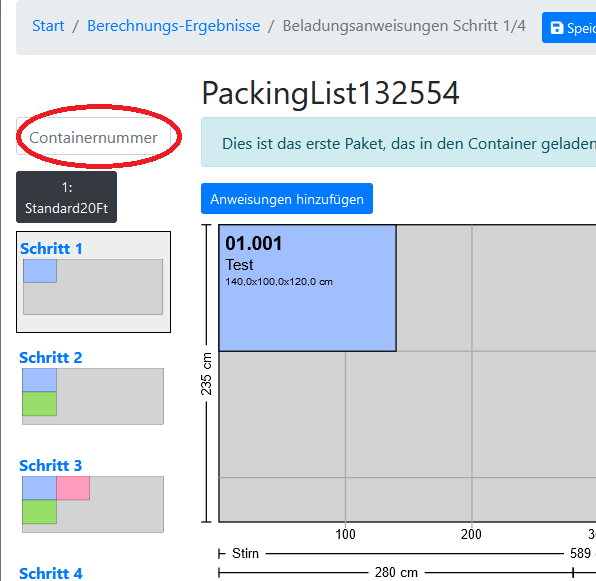
Wird der Transport verschickt, erhalten Sie eine Container-Nummer oder das Kennzeichen des LKWs, mit dem die Ware transportiert wird. Sie haben nun die Möglichkeit diese Information im fertigen Berechnungsergebnis zu hinterlegen.
Rufen Sie dazu im Berechnungsergebnis „Berechnung|Beladungsanweisungen bearbeiten“ auf. Oben rechts im Eingabeformular befindet sich das Feld, in dem Sie zum Beispiel die Containernummer eintragen können:
Weitere Beschriftungsmöglichkeiten für Packstücke
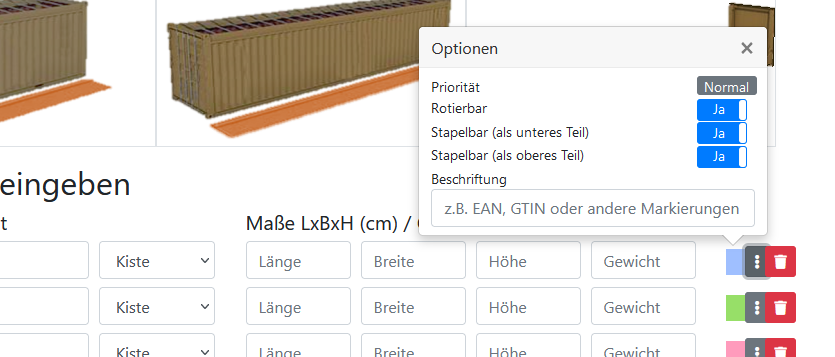
In der Schnelleingabe-Maske beim Starten der Berechnung gibt es in den Optionen für jedes Packstück ein weiteres Beschriftungsfeld. Dieses können Sie z.B. nutzen, um für Ihre Packstücke eine GTIN, eine EAN oder Packstück-Markierungen zu erfassen. Diese Information kann dann im Berechnungsergebnis auf den Packstücken angezeigt werden.
Klicken Sie dazu im Eingabeformular auf das Optionsmenü der jeweiligen Packstück-Eingabe-Zeile, um einen Text einzugeben.